Integrations
Integrations are where your alerts go. Connect the tools your team already uses, and Canary9 delivers a notification the moment a check fails, and again when it recovers.
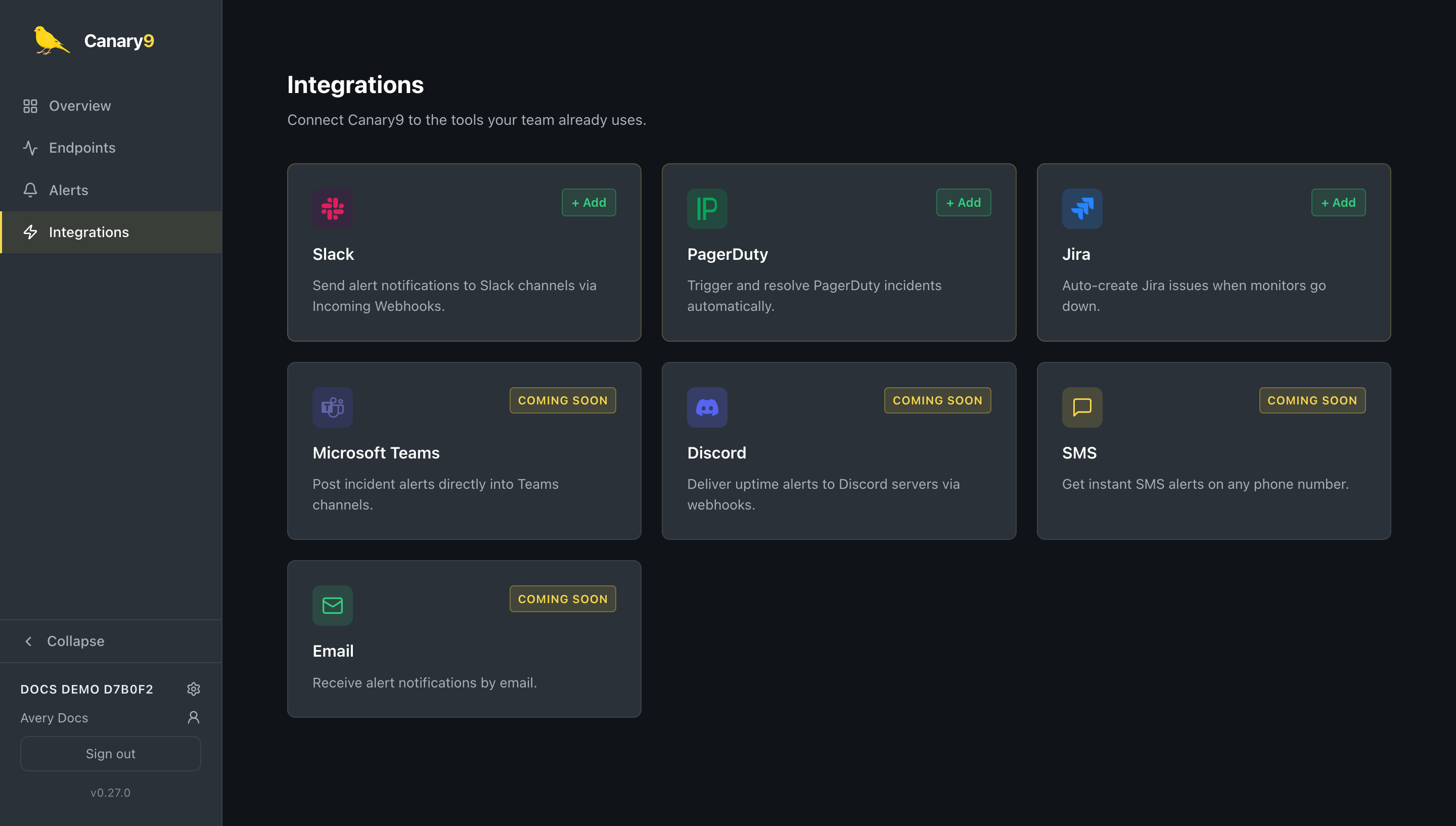
Available integrations
Slack
Post colour-coded alerts to a channel via an incoming webhook.
PagerDuty
Trigger and resolve incidents through the Events API, correlated automatically.
Jira
Open a Jira issue when something goes down and comment on it when it recovers.
Webhook
POST alert events to any HTTP endpoint with a custom JSON payload. Build your own integration.
Microsoft Teams, Discord, SMS, and email are on the way.
Add an integration
Open Integrations in the sidebar, find the integration you want, and select + Add. Give it a name and fill in the connection details:
Slack
- Webhook URL: an incoming webhook from your Slack workspace (
https://hooks.slack.com/services/…). - Channel and emoji: optional overrides for where the message posts and the bot icon.
PagerDuty
- Routing key: the integration key from a PagerDuty Events API v2 service.
Jira
- Site URL (
https://your-org.atlassian.net), account email, and an API token. - Project key: where issues are created (e.g.
OPS); optionally an issue type (defaults to Task). - Additional fields: an optional JSON object merged into every issue, so you can satisfy required custom fields specific to your Jira project.
Webhook
The webhook integration lets you receive alert events on any HTTP endpoint you control: build a custom integration, log alerts to your own system, or bridge to a tool Canary9 doesn't support natively yet.
- Webhook URL: any
http://orhttps://endpoint you control. - HTTP method:
POST(default),PUT,PATCH,GET, orDELETE. - Custom headers: an optional JSON object of headers sent with every request, e.g. for an API key your endpoint expects.
- Payload template: an optional JSON document with
{{message}},{{event_type}},{{severity}},{{created_at}}, and{{dedup_key}}placeholders, substituted with the event's values before sending. Leave it blank to send Canary9's default event payload.
Editing an existing webhook integration is available from the integration's row on the Integrations page.
Routing & handles
Every integration has a handle (auto-derived from its name, e.g. my-slack-bot). By default, an alert fans out to all enabled integrations. To send a specific alert only to specific places, @-mention the handle in the policy's notification message, see Alerts & notifications. This lets you send, say, customer-facing outages to PagerDuty while routing everything to a Slack channel.
Test, disable, and remove
- Test: send a sample notification to confirm the connection works; you'll see success or the error inline.
- Enable / disable: flip an integration off to pause delivery without losing its configuration.
- Delete: remove an integration entirely.
For Jira and PagerDuty: recoveries are linked back to the original alert automatically, so a resolved check closes the loop on the same incident or issue instead of creating a duplicate. For webhooks: every payload includes a stable dedup_key for the alert, so your endpoint can correlate a "down" event with its later "recovered" event.